
Accu-Chek without Bluetooth: photograph your glucose meter into a diary
Searches like Accu-Chek Bluetooth not working, Accu-Chek Bluetooth pairing, or how do I pair my Accu-Chek usually mean one thing: you already have a reading on the meter, and you want it in a diary without fighting phones, apps, or cables. Blood Snap lets you photograph an Accu-Chek (or similar glucometer) display, review the suggested number, and save it — with no Bluetooth pairingand no requirement to use Roche's Connect apps for a personal log.
Accu-Chek is Roche's blood glucose meter brand (Guide, Instant, Active, Performa, and others). Blood Snap is not affiliated with Roche, not an Accu-Chek Connect replacement for clinic sync, and not a glucose meter. It is a personal wellness diary: you confirm every value before it becomes part of your history.
Why people search Accu-Chek Bluetooth pairing
Newer Accu-Chek models may support Bluetooth so readings can move into an official phone app. That path is useful when it works — and frustrating when it does not. Autocomplete and help forums fill up with phrases like:
- Accu-Chek Bluetooth not working or Accu-Chek Guide Bluetooth not working
- Pairing Accu-Chek Guide / how to pair my Accu-Chek Guide
- Accu-Chek Instant pairing failed or Instant stuck in pairing mode
- Accu-Chek Guide connection failed / Guide not connecting to iPhone
- Does Accu-Chek Guide have Bluetooth? (model and region differ)
Older meters such as some Active or Performa units never offered phone pairing at all. In every case the clinical number still lives on the screen in front of you. That is enough for a home diary — if you have a simple way to capture it.
Accu-Chek without Bluetooth — use the numbers on the screen
A finger-stick Accu-Chek check ends with a glucose value in mg/dL or mmol/L. That digit — plus date, time, and meal context — is what belongs in a glucose manager or home blood sugar diary. You do not need a wireless link to type, speak, or photograph it.
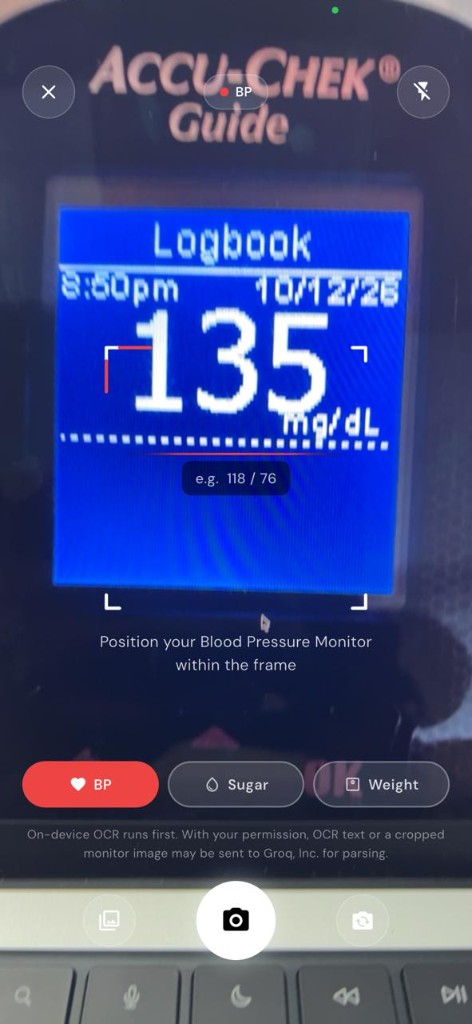
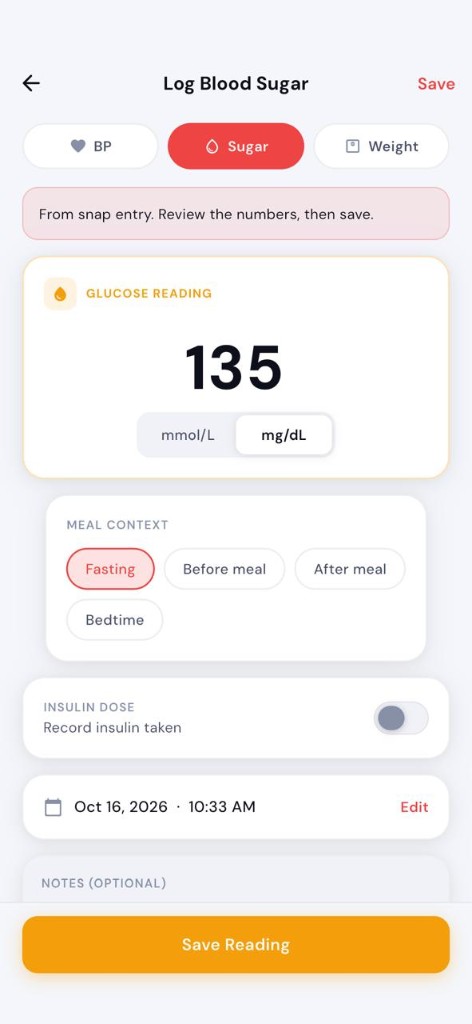
Blood Snap's answer to Accu-Chek without Bluetooth is camera convenience, not device pairing: point at the display, let on-device text recognition suggest the reading, then confirm or edit before save. Glare, odd fonts, or a partial frame can misread a digit — so the physical meter always wins over an unconfirmed draft.
How Blood Snap snap entry works
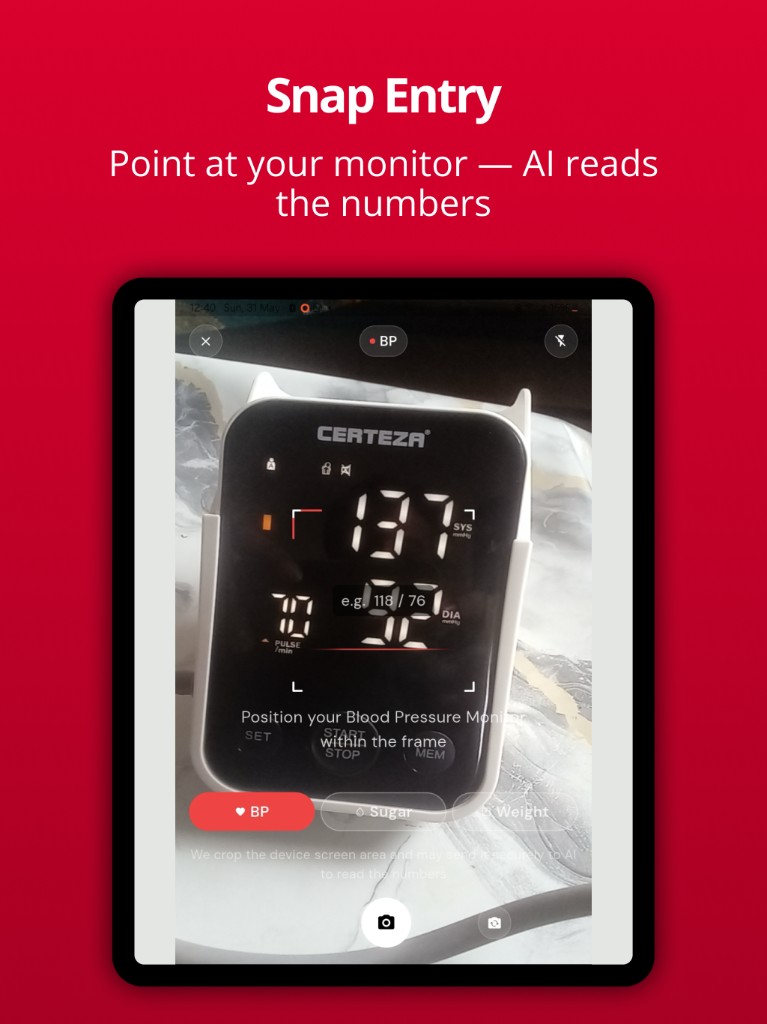
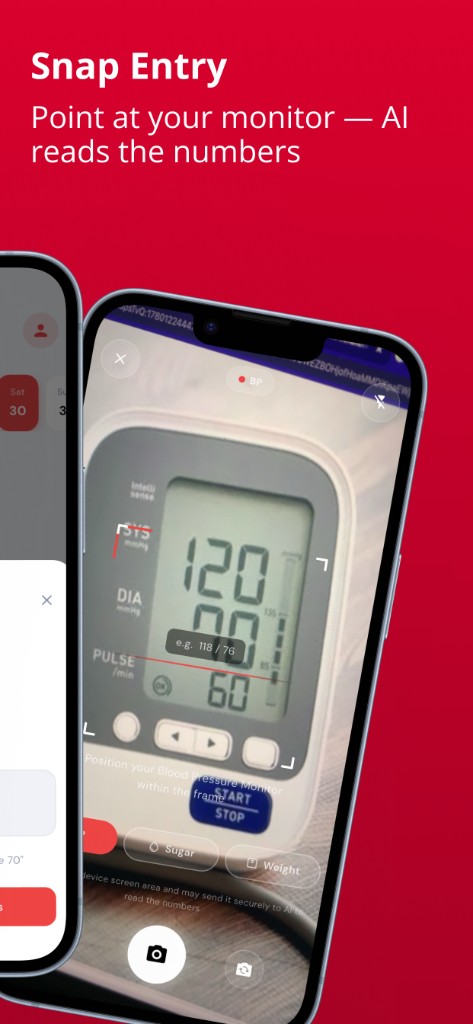
Snap entry is designed for home monitor screens: blood pressure cuffs, glucometers / glucose meters, and scales — including Accu-Chek displays that show a clear glucose number.
- On-device OCR first (Google ML Kit) — the phone tries to read the digits locally.
- With in-app consent, recognized text (or a cropped portion of the image if needed) may be sent for AI parsing — you still review everything. See the privacy policy for details.
- You always confirm before a reading is saved to your diary.
- Not Bluetooth. Blood Snap does not pair with Accu-Chek hardware, does not stream strips, and does not replace Accu-Chek Connect / Guide Link for manufacturer features.
Step-by-step — photograph an Accu-Chek reading
- Complete your finger-stick check on the Accu-Chek meter your clinician recommended. Wait until the glucose value is stable on screen.
- Open Blood Snap → add a blood sugar entry → choose Snap (or pick a clear photo from your library if the camera cannot start). Select Sugar in the camera mode pills.
- Hold the phone steady. Fill the frame with the digits; avoid harsh glare and shadows.
- Review the suggested value and unit (mg/dL vs mmol/L). Fix any OCR mistake.
- Tag context when it matters for your plan — fasting vs after eating vs bedtime — then save.
For why fasting and post-meal tags matter in a diary (not as in-app cutoffs), see fasting blood sugar vs after eating.
Guide, Instant, Active, and Performa
Marketing names change by country, but the diary problem is the same: get the number off the glass into a log.
- Guide / Guide Me — Bluetooth models still show a readable screen when Guide Bluetooth pairing or Guide connect to iPhone fails. Photograph that screen.
- Instant — if Instant pairing failed or Bluetooth is not showing, the meter reading remains visible; snap it.
- Active / Performa — classic finger-stick meters; many never needed a phone link. Snap or type works well.
Blood Snap does not claim Accu-Chek certification or guaranteed OCR on every font, firmware, or language layout. If a photo is unclear, type or speak the number you see on the device.
How do I pair my Accu-Chek — and when you can skip pairing
Official pairing belongs in Roche's documentation and apps when you need manufacturer sync, strip workflows, or clinic systems that expect their ecosystem. If your goal is a personal glucose diary next to blood pressure and weight, you can skip pairing entirely: read the Accu-Chek screen, capture it in Blood Snap, confirm, and move on.
That is especially practical when searches turn into dead ends — Accu-Chek not pairing with iPhone, connection failed, or Bluetooth setup loops — and you still need today's readings for a weekly chart or a clinic PDF.
Snap vs Bluetooth apps
| Need | Official Accu-Chek / Connect path | Blood Snap snap diary |
|---|---|---|
| Wireless transfer into Roche apps | Yes, when pairing works | No — photo / type / voice instead |
| Log when Bluetooth is broken | Manual entry in their app, if available | Photograph the screen, confirm, save |
| One diary with BP + sugar + weight | Meter-focused ecosystem | Yes — personal wellness diary |
| On-device OCR first | N/A (paired data path) | Yes — confirm before save |
Use the path your clinician and strip supply expect for medical device workflows. Use Blood Snap when you want a simple, pairing-free log and charts of numbers you verified.
Build a glucose diary from Accu-Chek checks
Consistency beats perfect wireless sync. Log Accu-Chek checks with context, then review 7-, 30-, and 90-day glucose charts of your own entries. Export PDF or CSV before a visit. Keep units consistent unless your care team asks otherwise.
- Same meter brand habits every day — Accu-Chek or another clinician-recommended glucometer
- Confirm every snap; never save unread digits
- Optional notes only — Blood Snap does not score meals or diagnose hyperglycemia
What this cannot do
- It does not measure glucose, validate Accu-Chek accuracy, or sell strips.
- It is not a CGM and does not stream continuous glucose data.
- It does not fix Bluetooth hardware faults or replace Roche support for pairing mode.
- It does not give treatment advice — very high or low readings with symptoms need care, not an app chart.
Always follow your clinician's advice about which meter to use and when to check.
Try snap logging in Blood Snap. Photograph your Accu-Chek (or any clear glucometer screen), confirm the digits, and keep a free glucose diary next to blood pressure and weight — no Bluetooth pairing required.
Educational information with public guideline citations. Not medical advice and not a diagnosis. Blood Snap is a personal wellness diary — not a medical device, blood pressure machine, glucometer, or CGM. Always follow your clinician's advice.